Lista Recurring Events
Powerful recurring events for WordPress with Bricks Builder & Elementor integration.
Lista Recurring Events transforms your WordPress site into a full-featured event management platform. Create events once and let the plugin automatically calculate and display all future occurrences—no need to create multiple posts for repeating events.
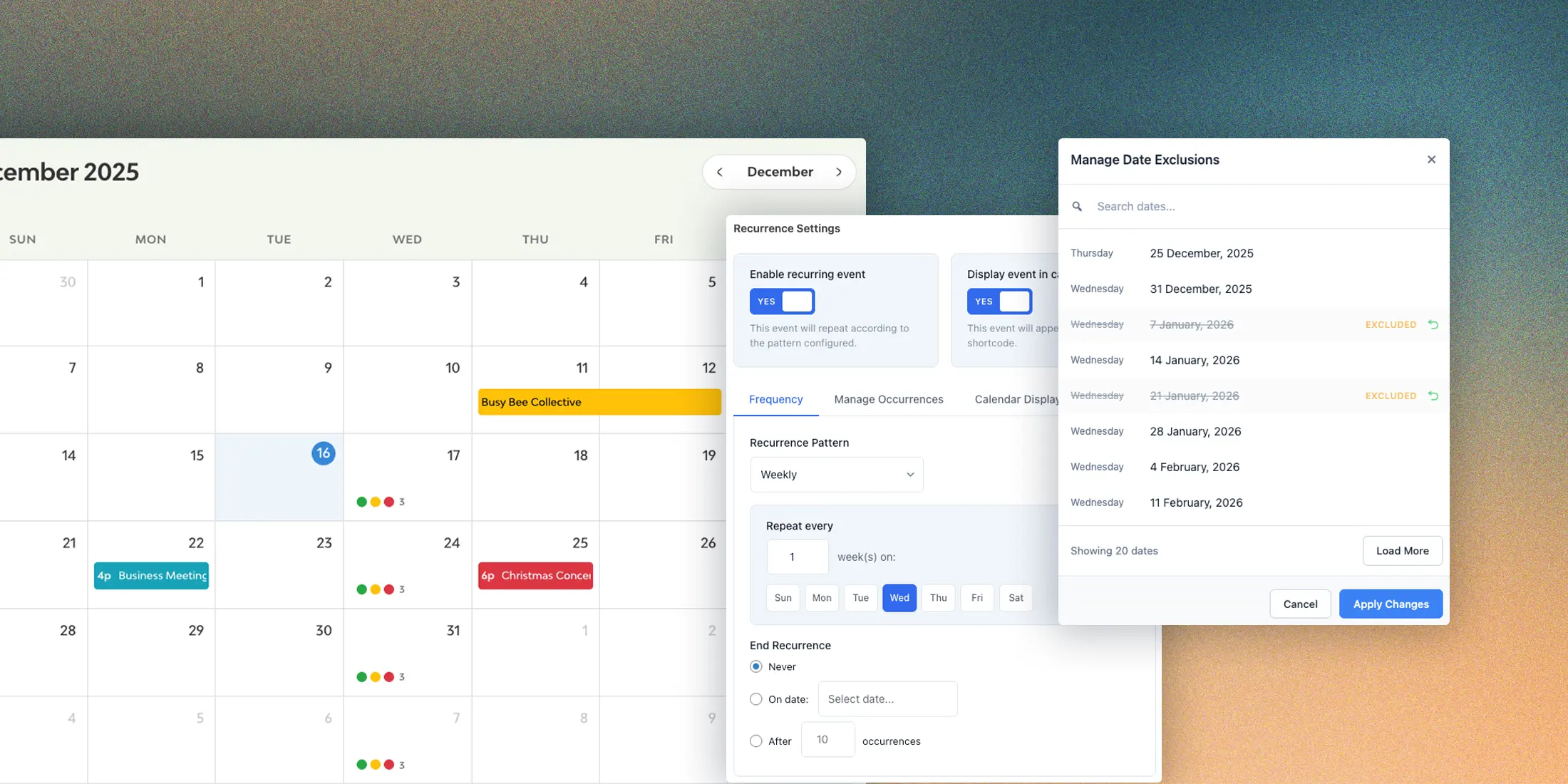
Key Features
- Stored Occurrences Performance System — Pre-calculated occurrences stored in a dedicated database table for instant calendar navigation and faster query loops
- Multiple Recurrence Patterns — Daily, Weekly, Monthly (by weekday or date), Yearly, and Custom dates
- Bricks Builder Integration — Custom query loop, dynamic data tags, filter elements, and countdown element
- Elementor Integration — Loop widget, dynamic tags, filter widgets, and countdown widget
- Interactive Calendar — Beautiful FullCalendar integration with the
[lre_calendar]shortcode - AJAX Filtering — Date, taxonomy, search, and event type filters with smooth AJAX transitions
- Add to Calendar — Let visitors save events to Google Calendar, Apple Calendar, Outlook, and more
- Event Status & Labels — Mark events as Cancelled, Postponed, or Rescheduled, and add custom display labels like "Sold Out" or "Free Entry"
- Countdown & Relative Time — Smart labels like "Today at 2:00 pm" and live countdown tickers
- Schema.org Structured Data — Automatic JSON-LD markup for Google rich search results
- Native Events Mode — Use the plugin without any custom field plugin — built-in Events post type included
- Field Overrides — Set different values (title, image, location) for specific occurrences
- Multi-Post Type Support — Configure multiple custom post types as event types
How It Works
Traditional event plugins require you to create a separate post for each occurrence of a repeating event. Lista Recurring Events takes a different approach:
- One Post Per Event — Create a single event post with your content
- Set the Pattern — Configure how often the event repeats
- Stored Occurrences — The plugin pre-calculates and stores all future occurrences in a dedicated database table
- Dynamic Display — Show upcoming dates using dynamic tags, shortcodes, or query loops
This approach keeps your database clean, makes updates simple (change once, update everywhere), and provides flexibility for complex scheduling needs.
Requirements
| Requirement | Version |
|---|---|
| WordPress | 6.8 or higher |
| PHP | 8.1 or higher |
| Page Builder | Bricks Builder or Elementor (optional) |
Free vs Pro Features
Lista Recurring Events offers both free and licensed functionality:
Free Features
- Daily recurrence pattern
- Single occurrence display
- Basic shortcodes
- Calendar display (without filtering)
Pro Features (License Required)
- Weekly, Monthly, Yearly, and Custom Date patterns
- Multiple occurrences display
- Bricks Builder query loop integration
- Elementor Pro query loop integration
- AJAX filtering
- Full dynamic data tags
- Field overrides per occurrence
- Event Status & Display Labels
- Countdown & Relative Time
- Schema.org structured data
- Native Events Mode
Quick Start
Ready to get started? Follow these steps:
Need help? Check the Troubleshooting section or contact support at listapage.au.